Turn any field into a ballpark.
Walkup songs, a stadium announcer, and your batting order, all run from the dugout. Built for real baseball and softball teams, from eight-year-olds to college.
Free on iPhone, iPad and Apple Watch, and that is the polished one. The browser version is in beta, so there is nothing to install and nothing to pay while we finish it.
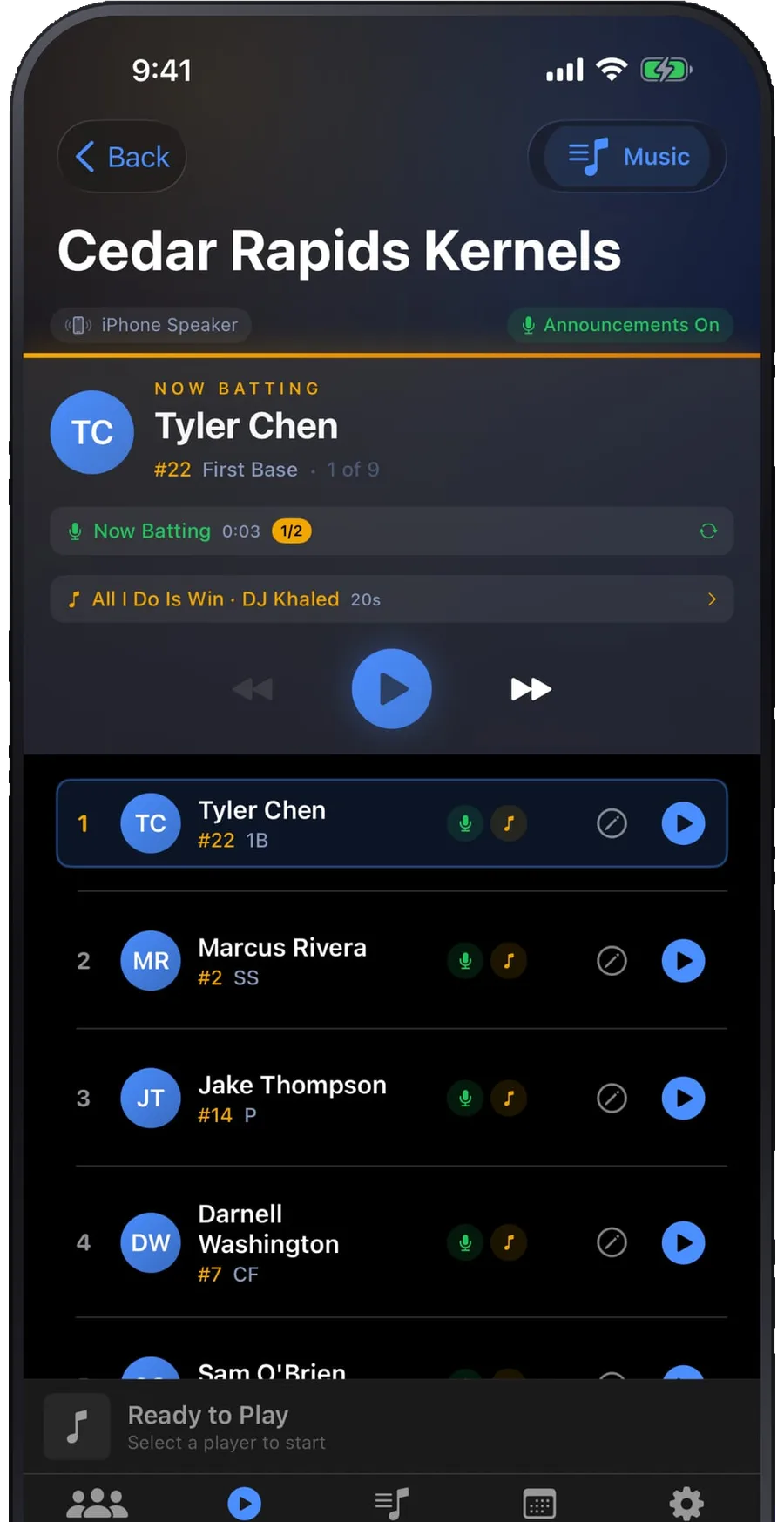
Set it up at home. Tap play at the field.
An evening of setup buys you a whole season of game days where the only thing you do is press play.
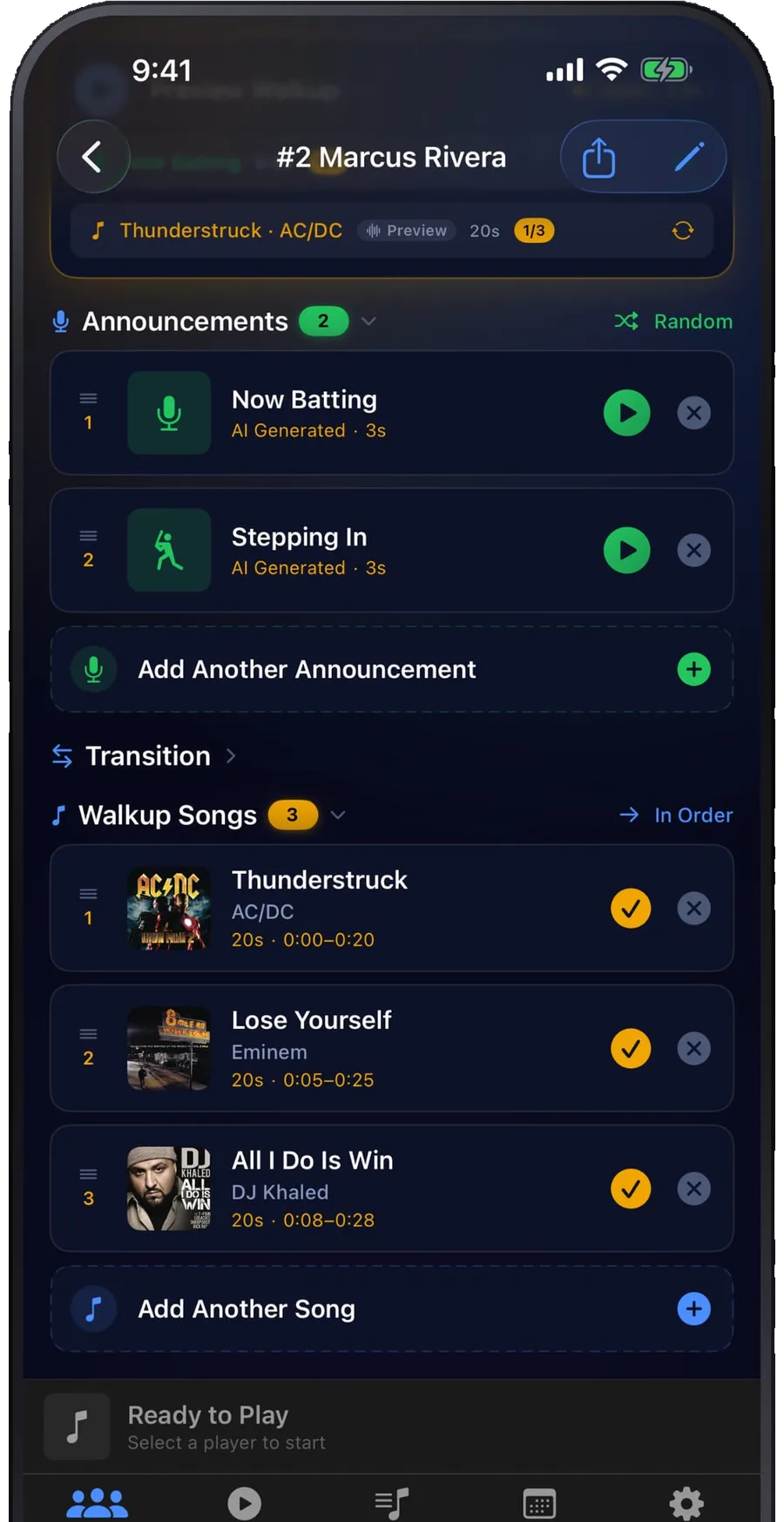
Every player gets their own entrance.
Give a batter several songs and cycle them through the season. Drag the trim to land on the exact twenty seconds that hit, so the drop arrives as they step in, not eight bars later.
- Multiple songs per player
- Twenty-second custom trim
- iTunes, Apple Music, or your own MP3
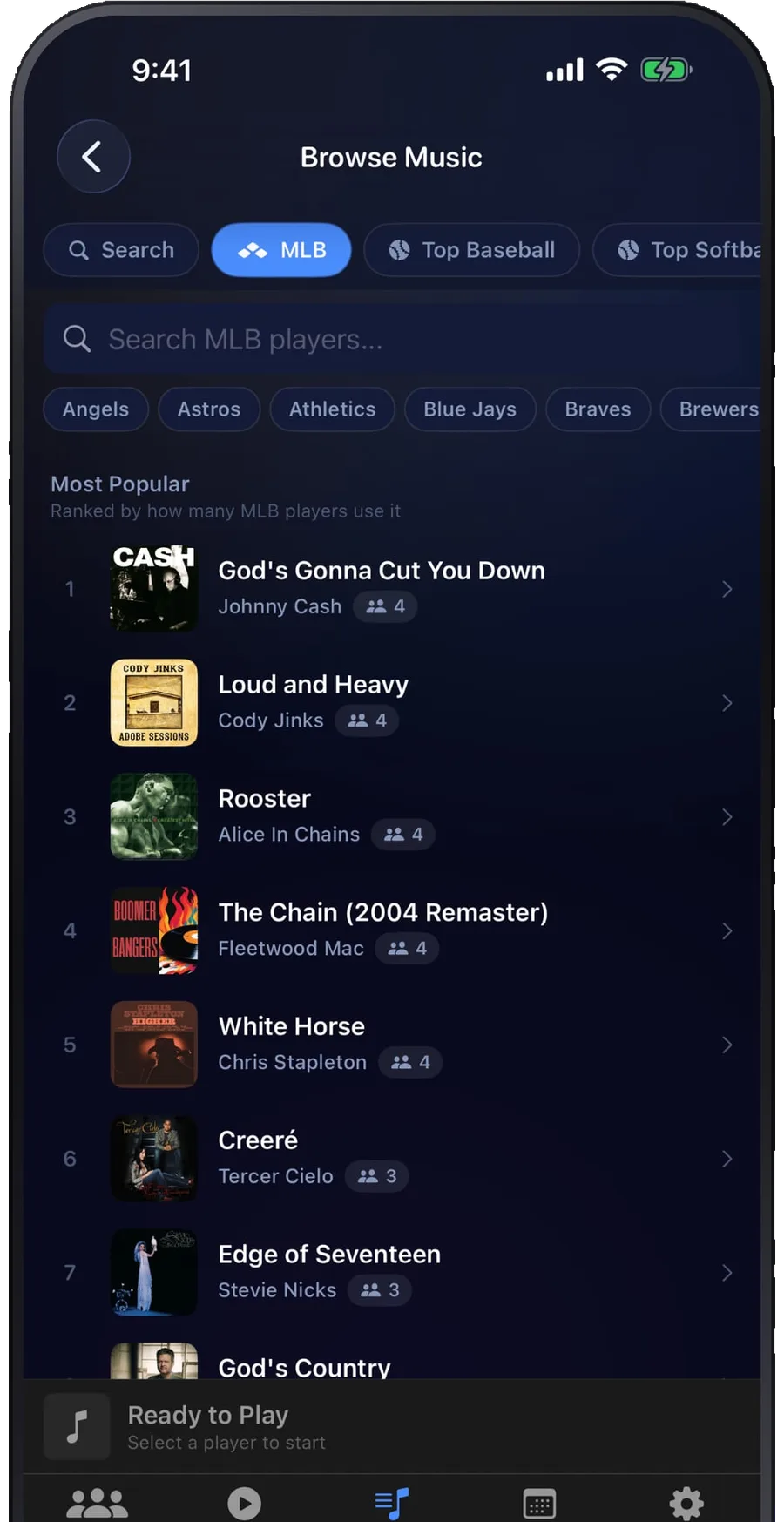
Or borrow the one their favorite pro uses.
Every MLB player's real walkup song, kept current all season and ranked by how many players use it. Tap one and it is on your roster, trimmed and ready.
- Browse by team or by player
- Ranked by how many pros use it
- Top baseball and softball charts
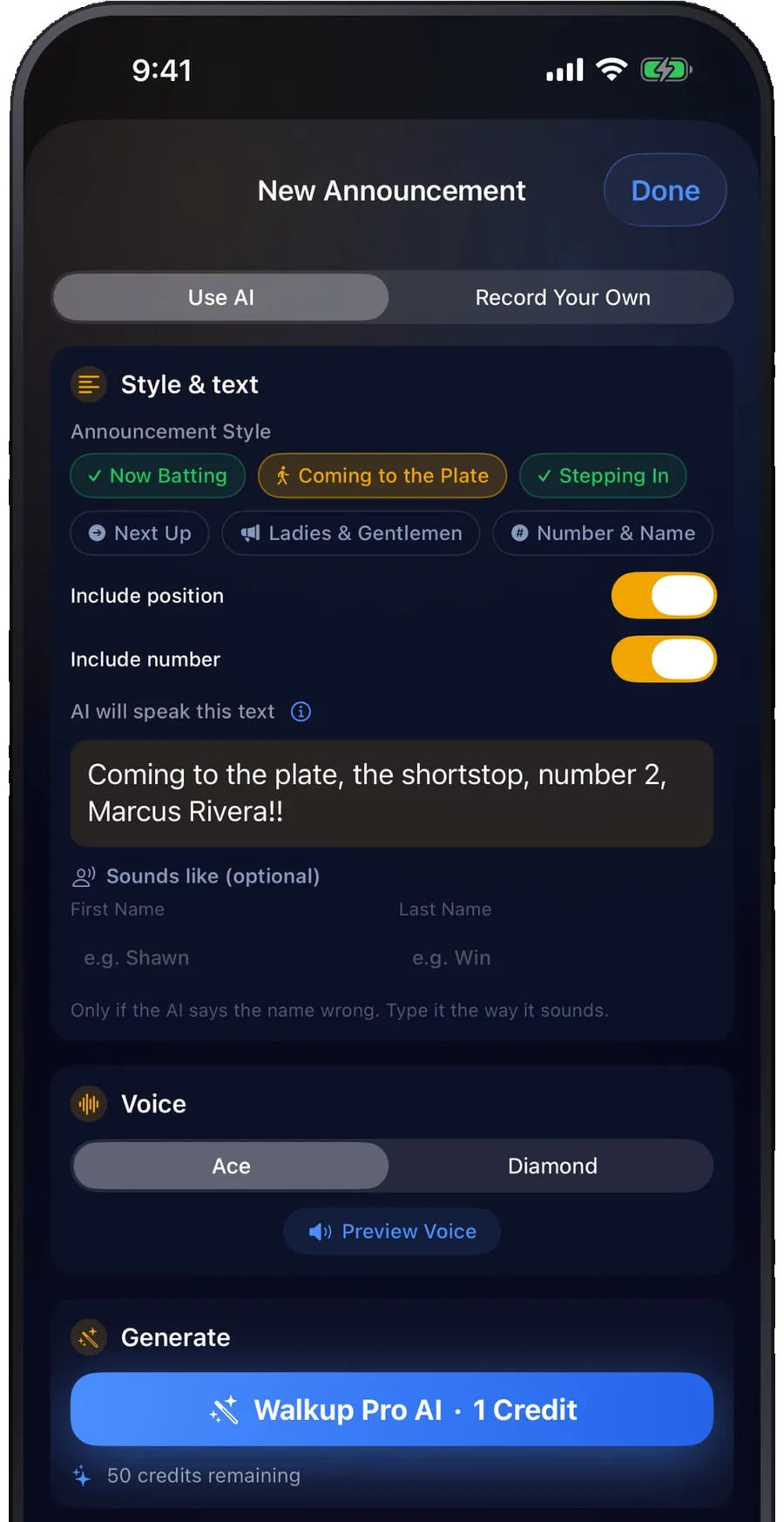
A stadium voice that says every name.
Type the intro, pick a voice, and Walkup Pro reads it like a ballpark PA. Or record it yourself and be the announcer. Names get a phonetic spelling so nobody's gets mangled.
- AI voices in seconds
- Record your own
- Phonetic spelling for tricky names
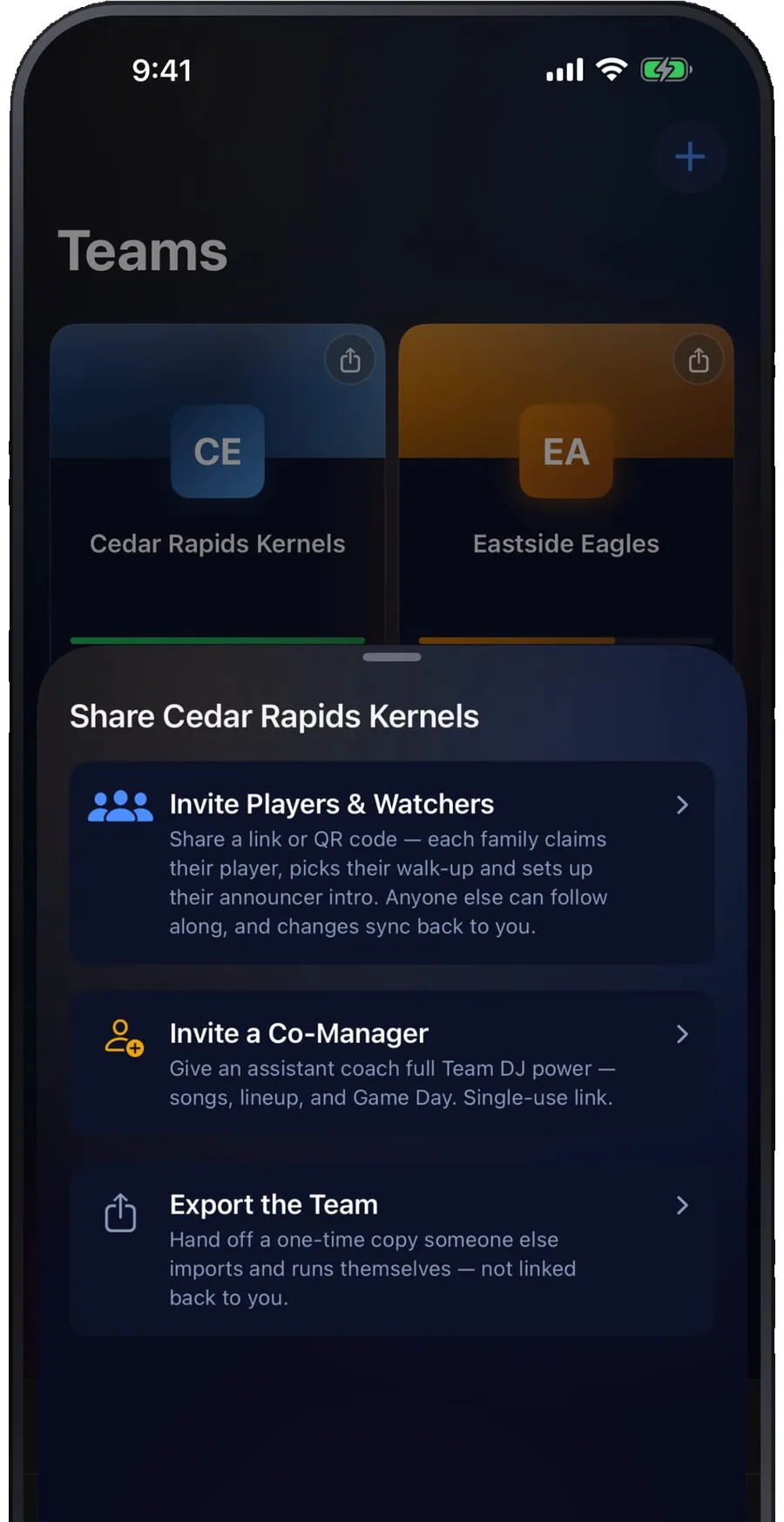
Send one link. The team fills itself in.
Families open the link, claim their player, and pick their own song and intro. It syncs straight back to your roster, which is how a fourteen-player team gets built in an evening instead of a season.
- Families pick their own song
- Invite a co-manager
- Watchers can follow along
Start on the web. Finish on your phone.
Same account, same teams, same subscription. Most coaches set the season up on a laptop and then run games from an iPhone.
| Feature | Webbeta | iPhoneapp |
|---|---|---|
| Rosters, songs, and announcements | Yes | Yes |
| Game day with the AI announcer | Yes | Yes |
| Search millions of songs and trim the clip | Yes | Yes |
| Apple Music full-track playback | Yes | Yes |
| Share the team, families claim their player | Yes | Yes |
| Warmup and inning-break playlists | Yes | Yes |
| Same 3 free players, then Pro | Yes | Yes |
| Nothing to install | Yes | No |
| Works at a field with no signal | No | Yes |
| Keeps playing with the screen locked | No | Yes |
| Apple Watch control from the dugout | No | Yes |
| Live Activity and Dynamic Island | No | Yes |
| AI-generated walkup songs | No | Yes |
The web app is real and your teams are saved to your account, but it is younger than the iPhone app. If something feels off, there is a Send feedback link inside it, or email team@walkuppro.com.
Everything else it does.
- Bring your own audioImport an MP3, WAV, or M4A you already have.
- Player photos and numbersReal faces, real jerseys, real positions.
- Multiple teamsTravel ball, all-stars, and rec stay separate.
- Warmup and break playlistsMusic between innings without touching a thing.
- Game scheduleKeep the season in the same place as the lineup.
- Co-manager accessAnother coach can run game day when you cannot.
- Apple Watch companion iPhoneDrive game day from your wrist.
- Live Activity and Dynamic Island iPhoneWho is at bat, on the lock screen.
- Background audio iPhoneLock the phone and the song keeps playing.
- Offline at the field iPhoneEverything on device. No signal needed.
- AI-generated walkup songs iPhoneDescribe a vibe, get a royalty-free track.
- Export your data iPhoneYour roster and songs are yours to take.
"My kids absolutely love having their own walkup songs. Makes every at-bat feel like the big leagues."
— Baseball dad
"The AI announcer is incredible. Sounds just like a real stadium PA system."
— SweetApp22
"Works great. Simple setup, one-tap playback on game day. Exactly what our team needed."
— PTK19
One plan. Both platforms.
The iPhone app is free for up to 3 players across all your teams. Pro removes the limit, and adds 50 AI credits a month plus full sharing, everywhere you sign in. The web app is in beta, so it is free with nothing capped.
The web app is free right now, with nothing capped.
Walkup Pro for Web is still in beta, so it does not ask for payment at all. The beta ends soon; when it does the web will match these prices, one subscription for both, and nothing you built goes away. The iPhone app is the finished and polished one, and the version we would put in your hand on game day.
Subscribe through the App Store in the iPhone app. Nothing on the web asks for a card while the beta is on.
Common questions
Is there an Android app?
What is the difference between the web app and the iPhone app?
Do I have to download anything to try it?
Does Walkup Pro work without internet at the field?
Do I need an Apple Music subscription?
Can I subscribe on the web instead of through the App Store?
How many players can I add for free?
Can I use Walkup Pro for softball?
Can multiple coaches share a team?
What speaker should I use?
How do AI walkup songs work?
Your next game is the one to try it on.
Three players free on iPhone, and all of it free on the web while the beta is on. Add a couple of names, pick their songs, and hear how it sounds before you decide anything.
Built by a tiny team that loves this game.
We're a tiny independent team building baseball tools that are a joy to use. Our bar is simple: game day software should feel as polished as the best apps on your phone. No ads, no big company, and when you email us, the people who built the app are the ones who answer.
Questions or ideas? Email us at team@walkuppro.com